
Film Camera & Darkroom
Tenra
Load a roll, shoot 36 frames,
wait for the develop.
A real film experience, in your pocket.
Film Camera & Darkroom
Load a roll, shoot 36 frames,
wait for the develop.
A real film experience, in your pocket.
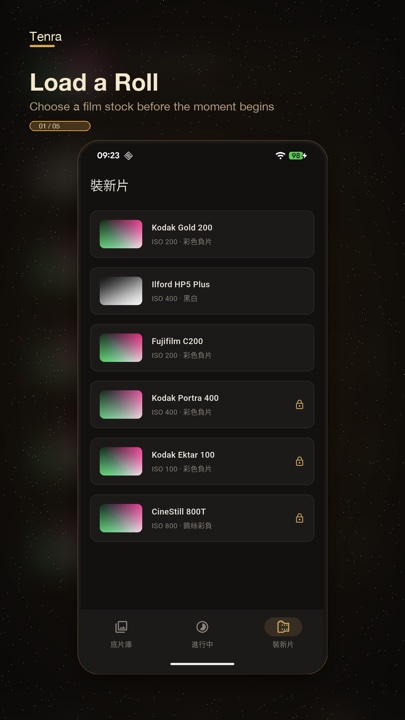
One black and white, one color. Both go on the free shelf. Leave the day you took the photo in its corner, too.
Gentle greys with detail in the shadows. A different character from HP5 and Double-X, for another way to photograph everyday life in black and white.
Tuned against the developer’s own Vista 400 photographs: vivid reds, cool blue-greys and fine grain.
Switch it on in the camera to print the capture date as yyyy-MM-dd in orange LCD-style digits. Bottom-right in landscape; rotated at bottom-left in portrait, clear of sprocket holes. Your preference is remembered. Imported photos are not stamped.
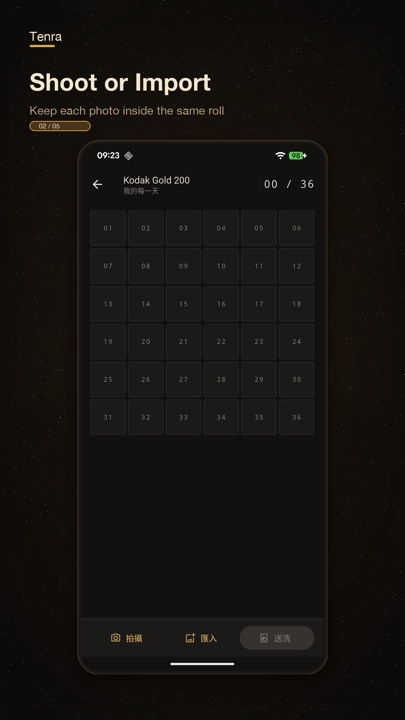
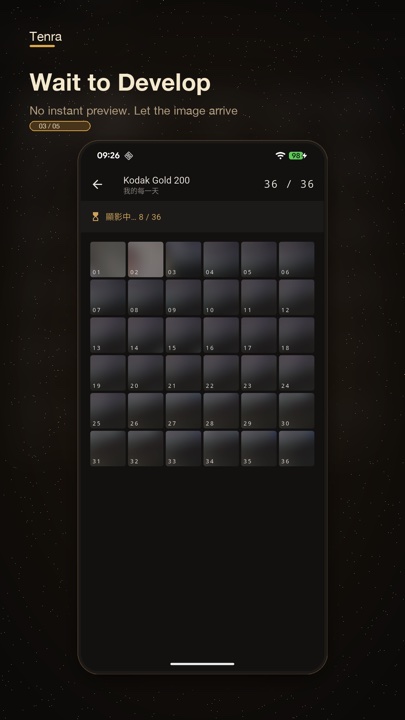
Each roll holds up to 36 frames, with the film and aspect ratio chosen when loading. The viewfinder does not apply a live film filter; in-app captures are revealed after development. Fill the roll or develop it early.
STEP 01
Pick a film stock and an aspect ratio. Once loaded, the roll is locked in — just like real film.
STEP 02
36 frames make every shutter count. Botched frames don't come back — film doesn't do retakes.
STEP 03
Develop instantly, in an hour, or overnight. While you wait, the photos take shape in the darkroom.
STEP 04
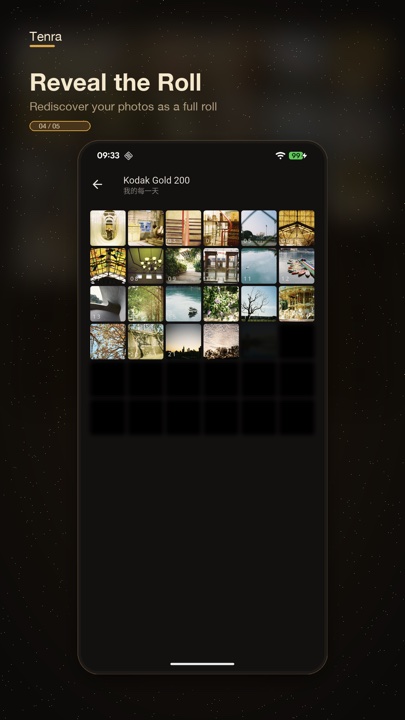
Reveal the whole roll, then enjoy its color and grain. You can also choose a burned leader when loading, leaving an exposure mark on the first frame.
Color tuned with reference to real film photographs, combined with halation and grain to give each stock its own character. Stocks marked PRO require Tenra Pro for development.
Warm golden nostalgia — everyday sunshine
Classic black & white with bold grain
Clean and airy, a fresh green tint for daily life
Gentle greys and open shadows — everyday black and white
Vivid reds and cool blue-grey tones, with delicate grain
Soft skin tones, gentle contrast — made for portraits
Vivid saturation — colors made for landscapes
Tungsten nights — neon and streetlights bloom red
Cinema's black and white. Deep silver blacks — every frame a film still.
The workhorse. Airy, understated greens — everyday life, rendered just right.
Natural skin tones and luminous color, with fine slide-film detail
Decide after shooting. Choose standard development or cross-processing when sending your E100 roll to the darkroom. Both options require Tenra Pro.
Natural skin tones, luminous color, and fine slide-film detail. For a roll that keeps the light and color of the scene.
Purple shadows, teal skies, and yellow-green highlights — skin tones shift too. The strength of the color shift varies with the photo, giving the same stock a different character.
Samples and import previews show the standard look. Your choice applies to the whole roll and locks when development starts, including retries after a failed development.
From taking the shot to finding an old favorite, a few more ways to enjoy your roll.
Flip the no-advance lever after a shot to expose the same frame again without using another frame. Flip it again for each extra exposure, and use the ghost overlay to help compose.
Choose a border style when loading film to bring sprocket holes and film edges into the finished image. The aspect ratio and border settings stay with the whole roll.
Find rolls by title, film name, or the cross-process label. More rolls to enjoy, less searching through them one by one.
Bring older photos into the darkroom and preview their film colors. Pro film samples and import previews are available before upgrading; Pro is required when developing those rolls.
Want another film halfway through? Eject the unfinished roll onto the shelf and reload it later to keep shooting.
Share a single photo or save the whole roll and its contact sheet. Take your developed photos with you.
In the camera, release either volume button to take one shot, including multiple exposures. Holding a button will not shoot a burst. Supported on Android and iOS 17.2 or later; older iOS versions keep the on-screen shutter.
Read the guide and frequently asked questionsFree to download, with 5 free film looks. Available on iOS and Android.